
Last reviewed: July 22, 2026. App menus and card support can change; follow the prompts shown in your app.
Set Up Alipay for Travel in China
1. Download and register
Download Alipay from your phone’s official app store. Register with a mobile number that can receive verification messages.

2. Add an overseas bank card
Open the card or payment settings, choose to add a bank card, and follow the identity and card-verification steps. Overseas cards displaying Visa, Mastercard, UnionPay, American Express, JCB, Diners Club or Discover may be supported. Acceptance, limits and fees depend on the payment product and your card issuer.

3. Pay a merchant
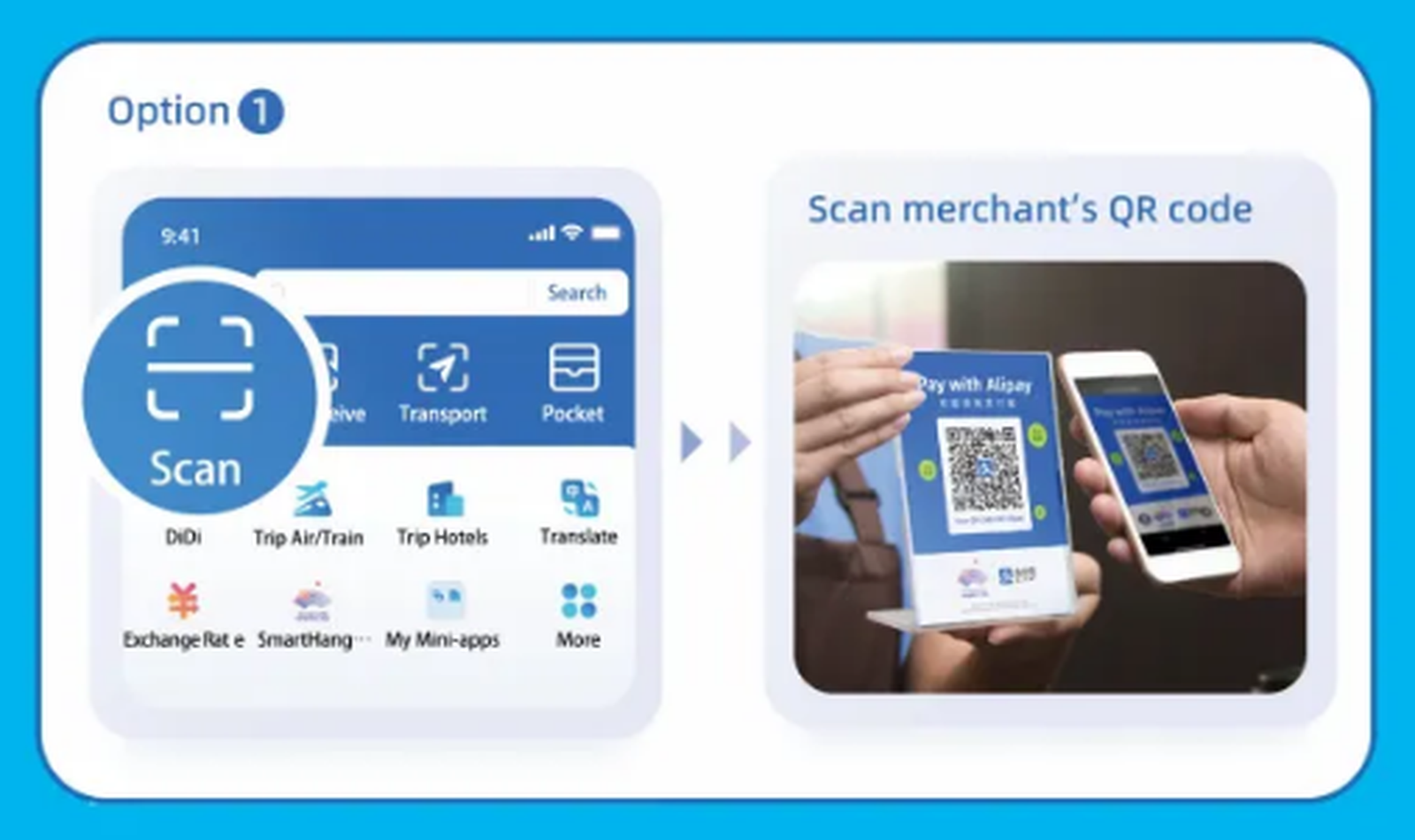
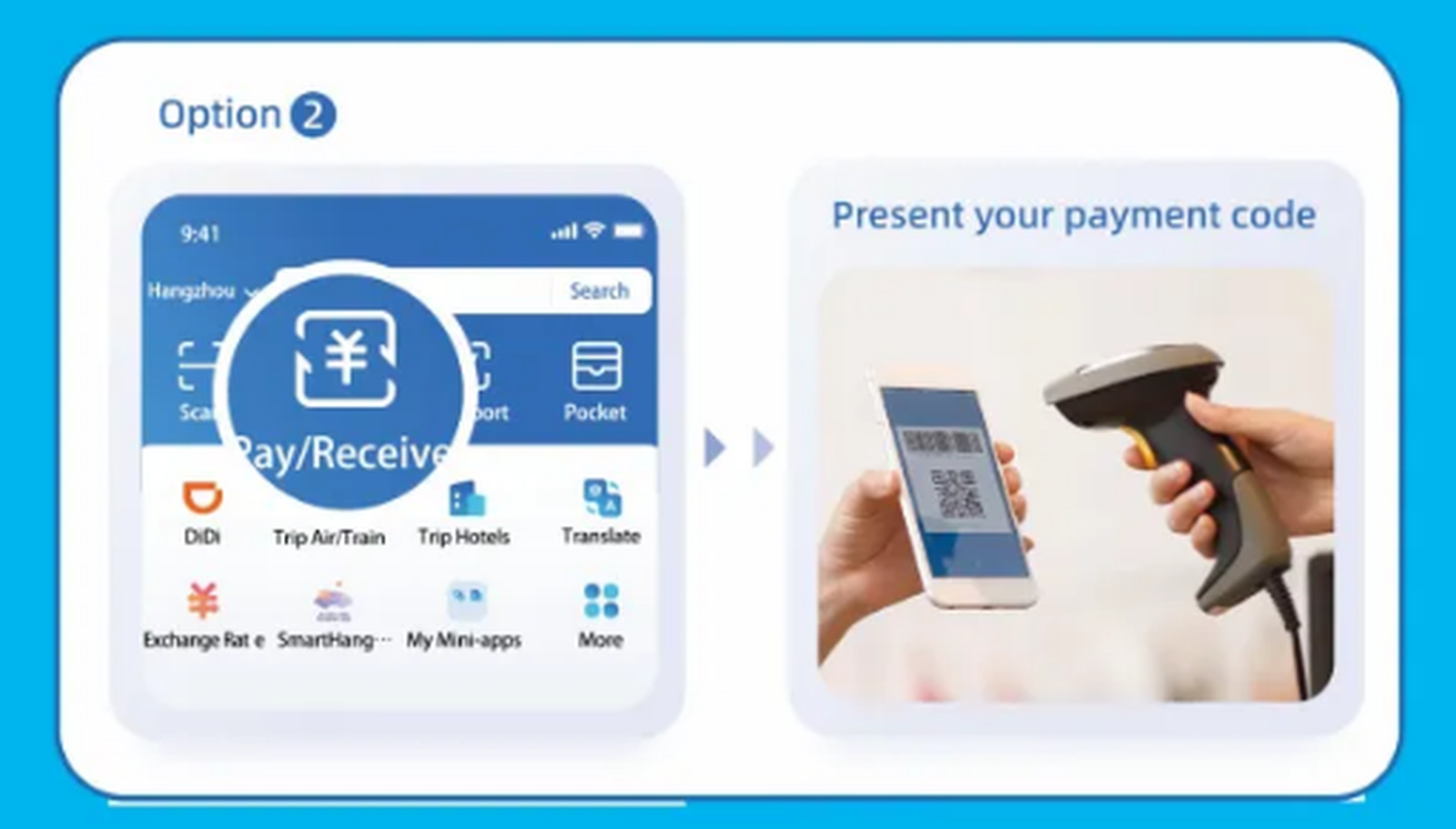
You can usually scan the merchant’s QR code or show your payment code for the merchant to scan.
Before you travel
- Complete registration and card verification before departure.
- Ask your card issuer to allow overseas transactions.
- Carry a bank card and some RMB cash as backup payment methods.
Official reference: Guide to Working and Living in China.